Video pipelines you can wire up like a DSP rack — transcoding, routing, and a few custom codecs for good measure.
OpenJVID is a UI application for video transcoding, and routing both local to the host machine and across networks. OpenJVID relies on existing video transcoding software such as FFMPEG, GStreamer, and OpenCV for codec translation, as well as its own independent set of transcoding options. These include NDI5 and QOYV.
NDI5 is a well-known video streaming solution by Newtek (now Vizrt) for broadcast-quality video. QOYV is the custom video path — each frame is compressed with QOY, a YCbCr 4:2:0 cousin of QOI. The full family tree (and why it isn’t just “QOI but for video”) lives in the QOYV post.
Repo: github.com/danschirripa/OpenJVID
GUI / Functionality
OpenJVID mirrors the functionality of an Open Architecture DSP to provide a simple and intuitive UI. OpenJVID operates at a constant 60fps, and currently resamples all inputs/outputs to match.
The image below is a simple OpenJVID graph which streams from FFMPEG, into a scaler (1920×1080 → 1280×720), and then into a preview window.
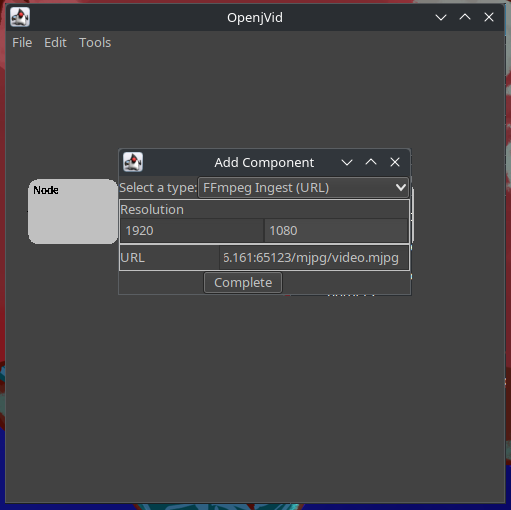
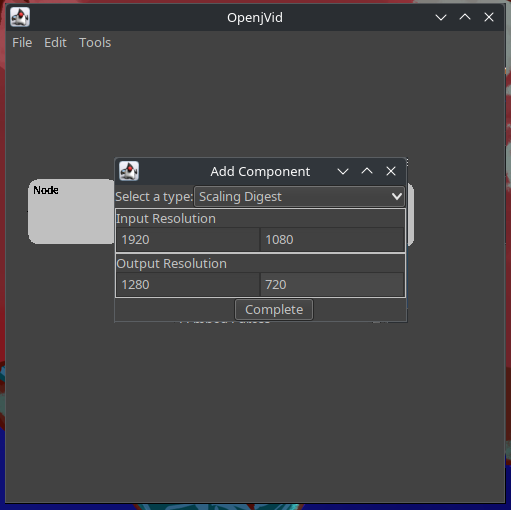
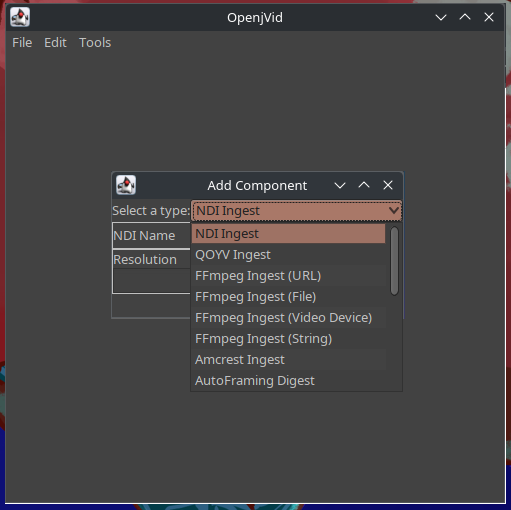
The image below is a preview of the “Add Component” dialog, which shows all available video/audio components. Selecting a component displays its unique configuration options; on completion it creates the component and adds it to the graph.
Advanced Flows
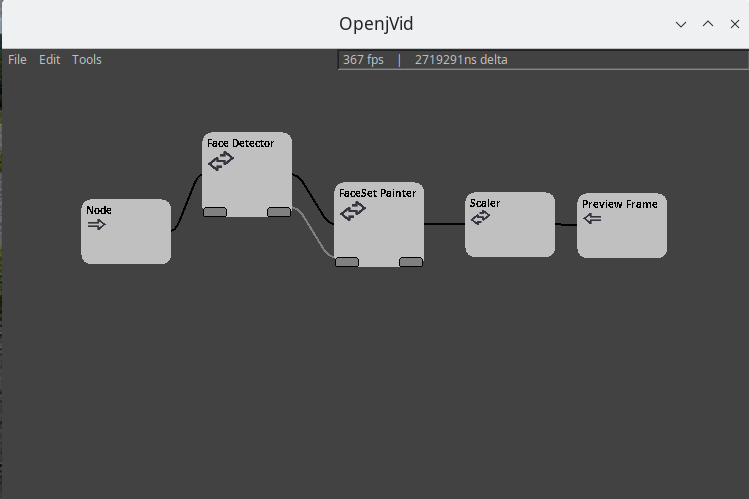
OpenJVID supports more advanced signal-flow combinations. One example is below: this flow ingests video from a camera using GStreamer, pipes it into a face-detection digestor (OpenCV & deep learning), then pipes those facial datasets via Control Node Points into the FaceSet painter digest, which paints a rectangle around the subject. Once painting completes, the video is scaled and previewed in a PreviewFrame.
Diagnostic Web UI
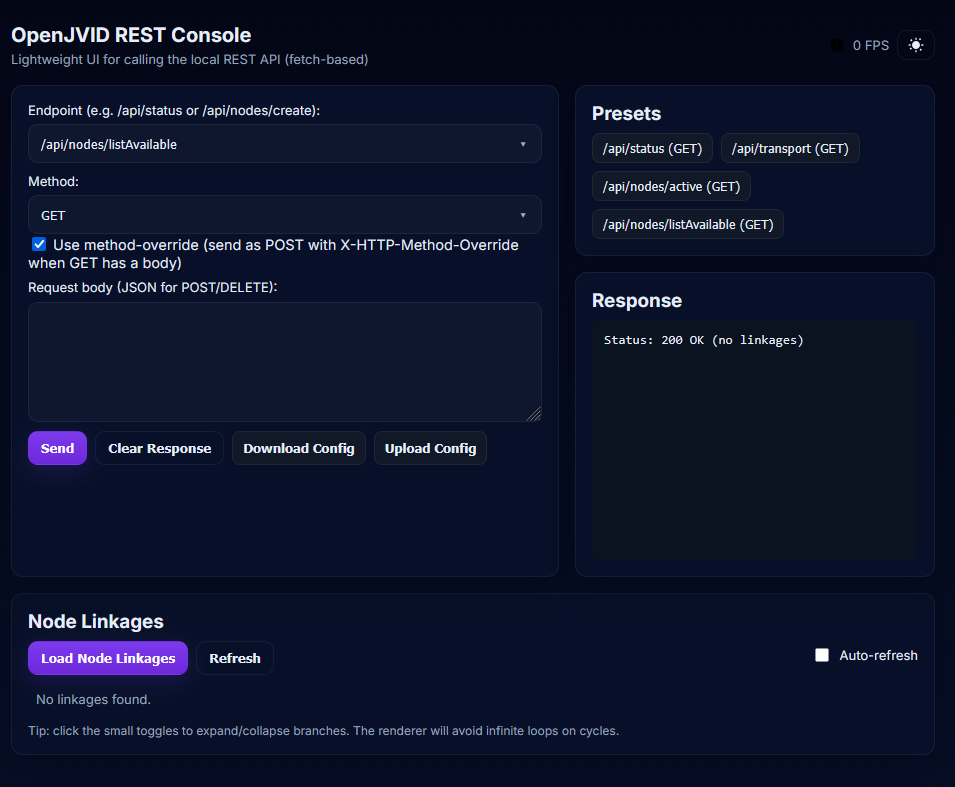
Now featuring a Diagnostic Web User Interface which allows for specific REST endpoint interaction, as well as configuration transfers. Includes a “Node Linkages” section which displays the node graph’s current link state.
Supported Components
As of the original site write-up:
| Component | Status | Description |
|---|---|---|
| NDI Ingest | Supported | |
| NDI Egress | Supported | Includes audio injection for NDI Audio Egress |
| FFMPEG Ingest (URL) | Supported | |
| FFMPEG Ingest (File) | Partially Supported | EOF is not properly dealt with, nor is video transport |
| FFMPEG Ingest (Video Device) | Supported | |
| FFMPEG Ingest (String) | Partially Supported | Most FFMPEG string inputs work; depends on source content |
| QOYV Ingest | Supported | |
| QOYV Egress | Supported | |
| Amcrest Camera Ingest | Supported + Control | Includes PTZ control capabilities |
| AutoFraming Digest | Partially Supported | Aspect ratio does not remain; slight warp when auto-framing |
| Face Detector | Supported | |
| Face Paint Digestor | Supported | |
| Matrix Digestor | Partially Supported | Options dialog needs update to reflect last made routes |
| Multiview Digestor | Supported | |
| FFMPEG Egress | Supported | |
| Preview Frame | Supported | |
| Scaling Digestor | Supported | |
| GStreamer Ingest | Supported | |
| GStreamer Egress | Unsupported | Planned; GStreamer egress docs are sparse |
| Preview Frame with PTZ Buttons | Supported | |
| Audio Injector | Supported | Relies on JACK; errors without JACK but OpenJVID continues |
| Audio Extractor | Supported | Relies on JACK; errors without JACK but OpenJVID continues |
| Filter | Partially Supported | Work in progress |
| Reverb | Partially Supported | Work in progress |
| OpenJVid Peripheral | Supported |
Peripheral Discovery Service
As of 2024-09-23: OpenJVID uses multicast to advertise its services on the network. Once a peripheral has been registered in OpenJVID, it can be added to the graph using the OpenJVID Peripheral component. Inter-peripheral communications use a subset of the QOYV streaming protocol.
Planned Features
OpenJVID has a long road ahead, including multiview layout configuration, video recording, and expanded GStreamer support.